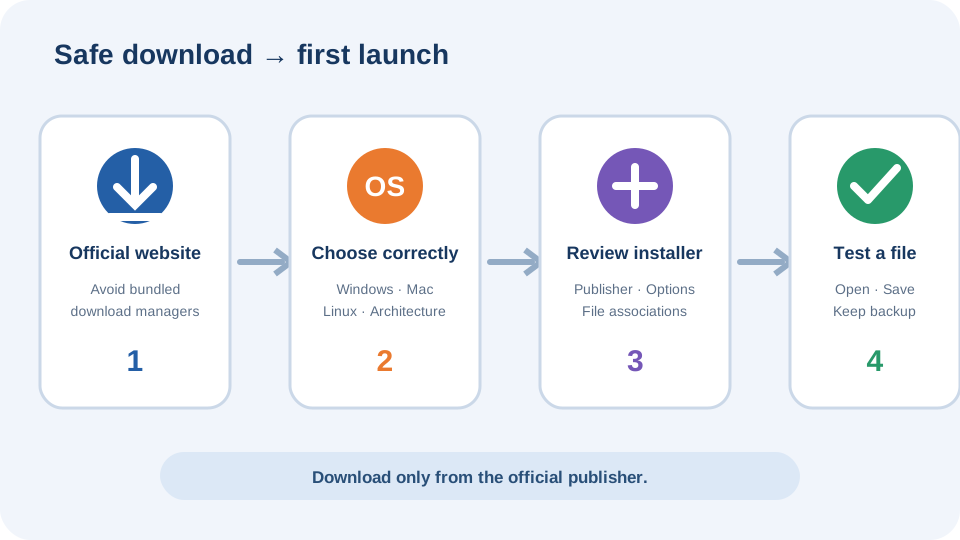
Download VLC from the official source
Use the official VideoLAN VLC page. The website normally detects your operating system, but you should still check the platform shown beside the download button. GetFree4U does not host VLC installers or bundle a download manager.
Avoid pages that promise a modified, premium or unlocked edition. VLC is already free and open source. A third-party wrapper can add software you did not request.
Install VLC on Windows
- Download the Windows installer from VideoLAN.
- Open the file and confirm that the publisher information matches VideoLAN.
- Select a language, review the components and keep file associations only for formats you want VLC to open by default.
- Complete setup and launch VLC from the Start menu.
If you cannot install applications on the computer, read the VLC without administrator rights guide before using a portable package.
Install VLC on macOS or Linux
On macOS, download the package offered for your Mac, open the disk image and move VLC into Applications. If macOS blocks the first launch, verify the file came from VideoLAN before using the system’s Open option.
On Linux, the recommended method depends on the distribution. VideoLAN lists packages and distribution-specific choices. Prefer a maintained repository or an official package method instead of copying commands from an unknown page.
First-launch checklist
- Open a small local video and test sound.
- Add a subtitle file from the Subtitle menu.
- Check playback speed and full-screen controls.
- Review privacy and network-access prompts before allowing them.
- Keep automatic update checks enabled where supported.
Common installation problems
If VLC will not open, confirm that the installer matches the operating system and processor architecture. On managed work or school computers, installation may be blocked by policy. A damaged download should be removed and downloaded again from VideoLAN rather than repaired with a third-party tool.
For hardware acceleration glitches, update the graphics driver first. Changing VLC output settings can help, but record the original setting so it can be restored.